


Download PowerDirector APK – Video Editor, Mobile Video Editing Tool, Free Video Editing App
Overview
PowerDirector is a mobile video editing application developed by CyberLink.com, designed to bring professional-grade editing capabilities to smartphones and tablets. Tailored for users who need to create polished videos on the go, the app offers a streamlined workflow that mirrors the functionality of its desktop counterpart while being optimized for touch-based interfaces. It enables users to edit video clips with precision, including trimming, splitting, rotating, and adjusting playback speed.
The app supports a wide range of media formats, ensuring compatibility with content captured from various sources. It is particularly suited for amateur filmmakers, social media content creators, and professionals who require a portable editing solution. With features such as multi-track timelines, chroma key effects, and audio integration, PowerDirector empowers users to craft visually compelling videos without needing a desktop computer.
Real-world use cases include editing vlogs, short films, promotional clips, and social media content directly from mobile devices. The app functions entirely on Android, requiring a modern device with sufficient processing power to handle video rendering tasks efficiently.
Key Features & Capabilities
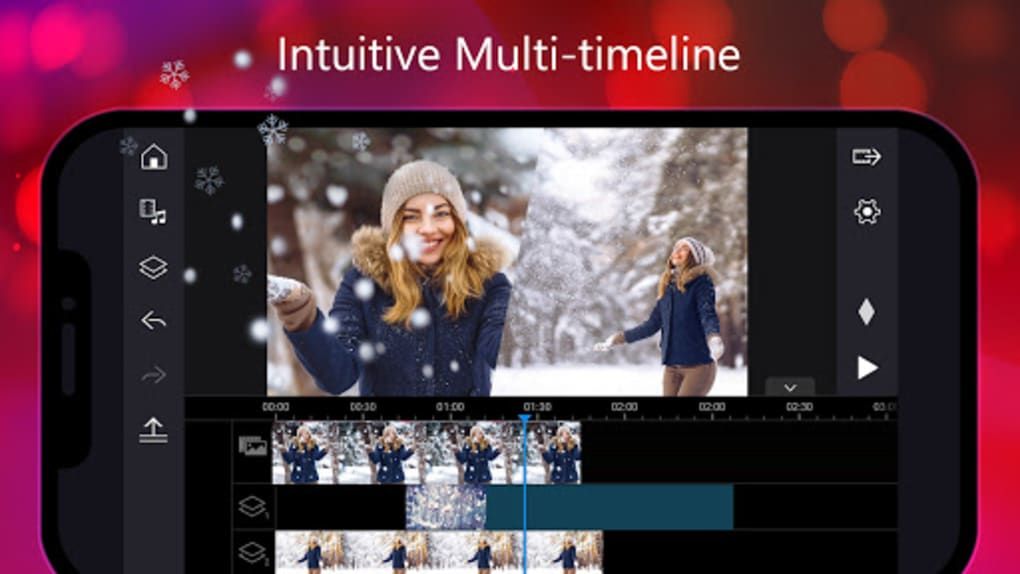
- Multi-Track Timeline Interface: Allows users to layer video, audio, and image clips for complex editing sequences, similar to desktop editing software.
- Video Effects & Transitions: Offers a library of built-in effects and smooth transitions to enhance visual storytelling and improve video flow.
- Slow Motion & Reverse Video: Enables users to adjust playback speed and reverse footage to highlight key moments or create dramatic effects.
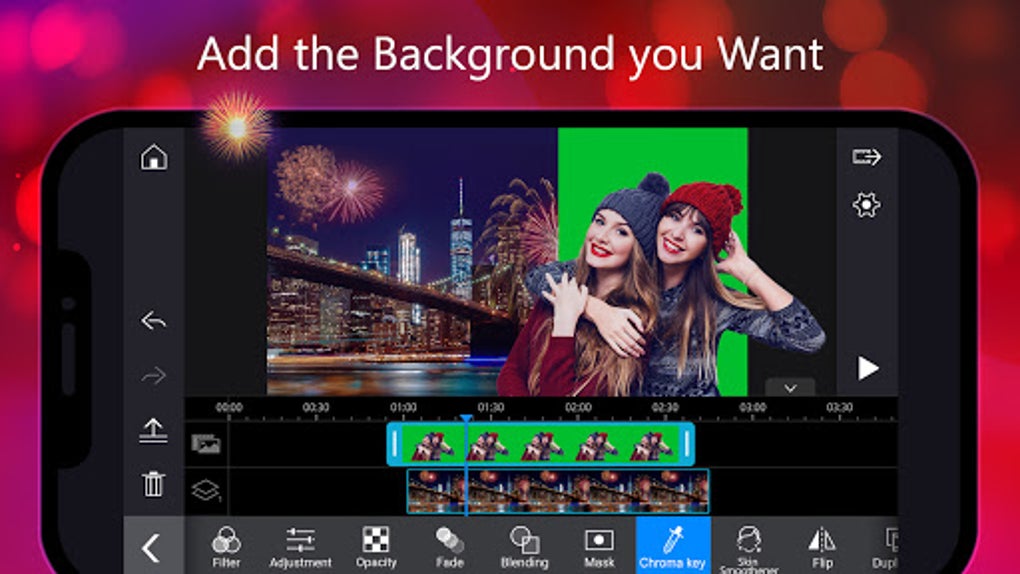
- Chroma Key (Green/Blue Screen): Supports background removal and replacement, useful for creating overlays or virtual sets.
- Audio Editing Tools: Includes volume adjustment, voice-over recording, and background music integration for enhanced sound quality.
- Picture-in-Picture (PiP) Support: Allows overlaying one video on top of another, ideal for dual-screen presentations or commentary videos.
- Media Format Compatibility: Supports common formats including JPEG, PNG, GIF, BMP, WebP, H.264, MPEG-4, VP8 (.MKV), MP3, WAV, AAC, and M4A.
- Export in High Resolutions: Offers export options up to 4K, though higher resolutions require in-app purchases.
These features allow users to edit videos efficiently in real time, with intuitive drag-and-drop functionality for importing media from device libraries. The app is ideal for creating content for platforms like YouTube, Facebook, and Twitter, where visual quality and engagement are critical. Users can also compile clips into collages or highlight reels, making it a versatile tool for personal and professional use.
User Interface, Workflow & Performance
The user interface of PowerDirector is designed with mobile usability in mind, featuring a clean, touch-friendly layout that simplifies complex editing tasks. The timeline is accessible and responsive, allowing users to manipulate clips with gestures such as drag, pinch, and tap. Navigation between tools and functions is intuitive, reducing the learning curve for new users.
The workflow follows a logical sequence: import media, edit clips, apply effects, adjust audio, and export the final product. While the developer did not specify resource usage details, the app is built to operate efficiently on devices with modern processors, such as Qualcomm Snapdragon 800 or equivalent. Performance observations are based on general software behavior patterns, suggesting smooth operation on compatible hardware.
Stability appears consistent, with minimal reported crashes. However, rendering large or high-resolution videos may require sufficient battery and processing capacity. Users should expect a responsive interface during editing, though export times may vary depending on device performance and file size.
Compatibility & System Requirements
PowerDirector is available exclusively for Android devices. The app requires Android 4.3 (Jellybean) or later, with higher versions such as Android 8.0 (Oreo) and above recommended for optimal performance. Supported hardware includes devices powered by Qualcomm Snapdragon 800, Samsung Exynos 7420, Nvidia Tegra K1, MediaTek P10, or any more powerful processor.
The installation size is not specified in the provided information. The developer did not provide additional system requirements. Compatibility information was partially provided, with no details on RAM, storage, or GPU specifications.
Users should ensure their device meets the minimum OS and processor benchmarks to avoid performance issues.
Pros and Cons
Pros
- Professional video editing tools accessible on mobile devices.
- Supports a wide range of image and video formats.
- Intuitive drag-and-drop interface for easy media import.
- Advanced features like chroma key, PiP, slow motion, and reverse video.
- High-quality export options up to 4K resolution.
- Perfect for social media content creators and on-the-go editors.
Cons
- 4K export requires in-app purchase.
- Performance may vary on older or lower-end devices.
- Some advanced features are locked behind paywalls.
- No official support for iOS or other platforms.
- Resource usage details were not specified.
FAQ Section
Is PowerDirector available for iOS devices?
PowerDirector is currently available only for Android devices. There is no official version for iOS.
Can I edit videos without an internet connection?
Yes, PowerDirector functions fully offline. All editing and exporting can be done without an internet connection.
Are there any in-app purchases?
Yes, the app is free to download but includes in-app purchases for advanced features such as 4K export and premium effects.
What video formats does PowerDirector support?
The app supports common formats including H.264, MPEG-4, VP8 (.MKV), MP3, WAV, AAC, M4A, and image formats like JPEG, PNG, GIF, BMP, and WebP.
How do I update PowerDirector?
Updates are available through the Google Play Store. Users should ensure automatic updates are enabled or check manually for new versions.
Final Thoughts
PowerDirector delivers a robust mobile video editing experience that bridges the gap between amateur and professional tools. Its comprehensive feature set, intuitive interface, and strong compatibility with modern Android devices make it a top choice for creators who value flexibility and quality. While the free version offers substantial functionality, some premium features are restricted to in-app purchases.
For content creators, vloggers, and filmmakers who need to edit on the move, PowerDirector is a reliable and powerful solution. The ability to export in Full HD and 4K resolutions enhances its appeal for high-quality social media and online content. With its mobile-first design and efficient workflow, it stands out among similar apps.
Download PowerDirector now.







